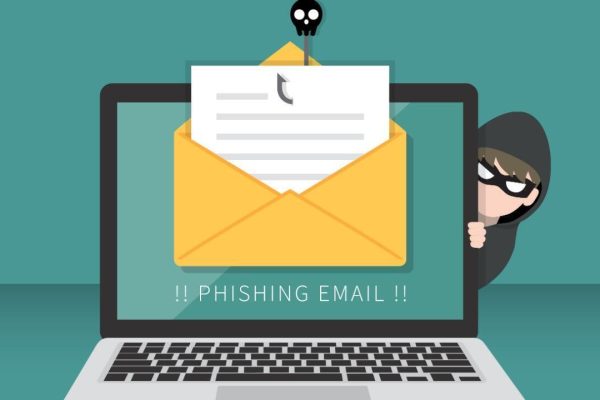
Phishing emails have become more convincing than ever.
They often look like real messages from:
- Banks
- Delivery companies
- Work platforms
- Social media accounts
- Even people you know
One wrong click can lead to:
- Stolen passwords
- Hacked accounts
- Financial loss
- Malware infections
The good news:
👉 Most phishing emails can be identified if you know what to look for.
This guide will show you how to spot phishing emails before they cause damage.
What Is a Phishing Email?
A phishing email is a fake message designed to trick you into:
- Clicking malicious links
- Downloading harmful attachments
- Entering login credentials
- Sharing personal information
It pretends to be from a trusted source.
Step 1: Check the Sender Address Carefully
Don’t trust the display name alone.
Example:
Always inspect:
👉 Full email address
Look for:
- Misspellings
- Extra characters
- Strange domains
Step 2: Look for Urgent or Threatening Language
Phishing often creates panic.
Examples:
- “Your account will be suspended immediately”
- “Urgent action required”
- “Verify now or lose access”
👉 Pressure is a major red flag.
Step 3: Hover Over Links Before Clicking
Before clicking:
Hover your mouse over the link.
Check if:
- URL matches official website
- Domain looks suspicious
- Link redirects somewhere unrelated
👉 If link looks strange, do not click.
Step 4: Watch for Poor Grammar or Formatting
Many phishing emails contain:
- Awkward wording
- Grammar mistakes
- Strange formatting
- Unprofessional design
While not always obvious—
👉 Sloppy presentation is suspicious.
Step 5: Be Careful With Attachments
Unexpected attachments can contain:
- Malware
- Ransomware
- Viruses
Never open attachments if:
- You weren’t expecting them
- Sender looks suspicious
- File type seems unusual
Step 6: Question Requests for Sensitive Information
Legitimate companies rarely ask for:
- Passwords
- Full payment details
- Security codes
By email.
👉 Treat such requests as suspicious.
Step 7: Verify Through Official Channels
If unsure:
Don’t click the email.
Instead:
- Go directly to official website
- Contact company support
- Use known phone numbers
👉 Verify independently.
Step 8: Watch for Generic Greetings
Phishing often uses:
- “Dear Customer”
- “Dear User”
- “Account Holder”
Legitimate services often use your real name.
Step 9: Check for Unusual Requests
Be cautious if email asks you to:
- Buy gift cards
- Send money urgently
- Change payment details
- Download unusual software
👉 Especially if pretending to be a boss/client.
Step 10: Trust Your Instincts
If something feels off:
👉 Pause
It’s better to double-check than regret clicking.
Common Phishing Scams
Popular examples:
- Fake delivery failed notices
- Fake bank verification emails
- Fake password reset alerts
- Fake invoice attachments
- Fake job offers
What to Do If You Clicked One
If you clicked:
- Disconnect from internet (if malware suspected)
- Change affected passwords immediately
- Enable 2FA
- Run antivirus scan
- Contact relevant service/provider
Final Thoughts
Phishing emails rely on speed, panic, and inattention. The best defense is slowing down and checking details before you click.
A few seconds of caution can prevent major security problems.
Once you learn the warning signs, spotting phishing attempts becomes much easier.
Related